Business Central implementation

A structured rollout that gets your team working in Business Central with clean data, tested processes and support after go-live.

Common problems

Why ERP projects go sideways

Most failed implementations fail for the same few reasons. Our method is built to prevent each one.

  • Vague scope. Nobody agrees on what “done” means, so the budget keeps moving.
  • Dirty data. Old records are loaded as-is and cause problems from day one.
  • Too much customization. Custom code replaces standard features and makes upgrades harder.
  • Rushed testing. Real processes aren’t tested end to end before go-live.
  • Untrained users. People go back to spreadsheets because nobody showed them how.
Our method

Phases and what each one delivers

PhaseWhat happensYou receive
1. DiscoveryWorkshops on finance, sales, purchasing, inventory, warehouse and reporting.Current-state summary and requirements list
2. Solution designEach requirement mapped to standard features, an AppSource app or an extension.Solution design, project plan and fixed scope
3. BuildSetups, posting groups and dimensions configured; approved extensions and integrations built.Configured test environment
4. Data migrationMaster data and opening balances mapped, cleaned, loaded and reconciled.Signed-off reconciliation
5. Testing & trainingYour team runs real scenarios end to end. Role-based training.Test sign-off and training guides
6. Go-live & supportCutover plan, first period close and hands-on help.Live system and support handover
Examples

What an implementation looks like

Illustrative scenario

Wholesale distributor

Challenge
Inventory kept in spreadsheets, accounting in a separate system and purchase orders written by hand.
Approach
Business Central with inventory, purchasing and warehouse receiving, picking and shipping.
Intended outcome
One view of stock across locations and purchasing driven by reorder points.
Illustrative scenario

E-commerce business

Challenge
Shopify orders, stock levels and accounting handled in three places and reconciled by hand.
Approach
Business Central connected to Shopify for orders, items, stock and payments.
Intended outcome
Less manual order entry and stock levels that stay in step with the online store.
Illustrative scenario

Manufacturing company

Challenge
Little visibility into production and product costs worked out in spreadsheets.
Approach
Business Central Premium with bills of materials, production orders and cost reporting.
Intended outcome
Planned production and product costs that come straight from the system.

These scenarios show how we approach typical projects. They are not client case studies.

Timeline & cost

What drives the size of a project

You get a fixed scope and estimate after discovery, based on your business rather than a guess. Try the cost estimator.

  • Modules in scope. Finance only, or also inventory, warehousing and manufacturing.
  • Companies and locations. Multi-entity and multi-warehouse setups take more work.
  • Data volume and quality. Clean data loads faster than messy data.
  • Integrations. Each connected system adds design and testing time.
  • Custom development. Extensions are scoped and estimated separately.
Free download

Prepare your team for implementation

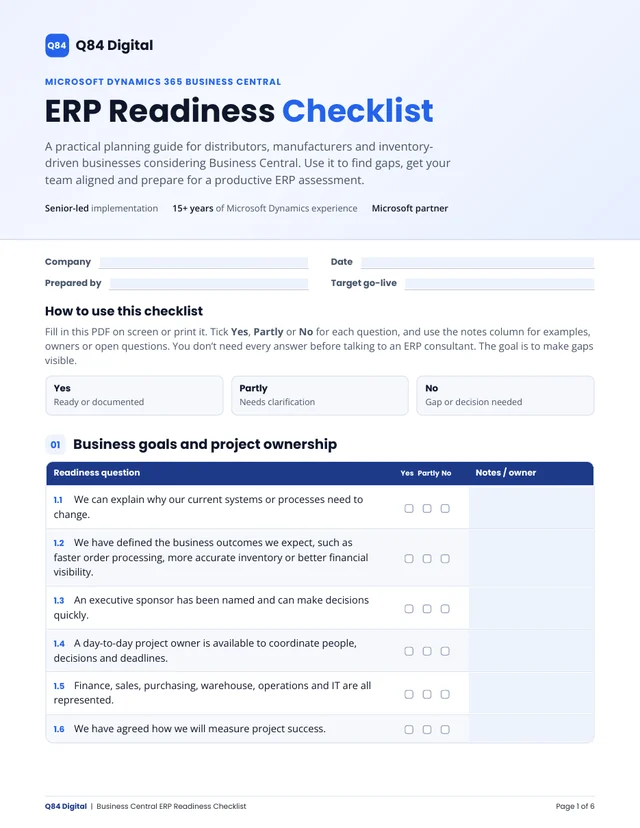
Use our free ERP Readiness Checklist to find gaps in goals, processes, data and ownership before the project starts. It makes discovery faster and scope clearer.

Fillable PDF, 6 pages. No email required.

Planning a Business Central project?

Pick a time for your free 30-minute ERP assessment with the consultant who would deliver your project.