Business Central for manufacturers
Plan production, control materials and know what each product really costs to make.
What holds growing manufacturers back
Most small manufacturers start with accounting software and spreadsheets. That works until order volume grows and nobody can say what’s in production, what’s short or what a product really costs.
- No production visibility. Order status lives on the shop floor, not in the system.
- Costs worked out in spreadsheets. Material and labor costs are estimates.
- Material shortages. Components run out because demand isn’t planned.
- Disconnected systems. Production, stock and accounting don’t share data.
Manufacturing features in Business Central Premium
Bills of materials
Multi-level BOMs with versions and component substitutes.
Production orders
Planned, released and finished orders with consumption and output.
Material planning
Planning worksheets that suggest what to buy and make, and when.
Routings & capacity
Work centers, machine centers and capacity planning.
Product costing
Standard or actual costs with variance reporting.
Inventory & tracking
Lot and serial tracking from components to finished goods.
A production order, start to finish
Plan
The planning worksheet turns sales demand into suggested production and purchase orders.
Release
Released production orders reserve components and create pick work for the warehouse.
Produce
Consumption and output are recorded against each operation in the routing.
Finish
Finished goods move into stock, ready to ship.
Cost
Cost adjustment calculates actual costs and variances against standard.
Where Business Central manufacturing works best
Business Central suits most small and midsize discrete manufacturers. A few situations need an add-on or a different product, and it’s better to know that before you start.
- A good fit: make-to-stock and make-to-order production, assembly and kitting, and light fabrication with defined routings.
- Needs an add-on: batch or recipe-based process manufacturing, advanced shop-floor scheduling, or detailed quality management.
- Consider Dynamics 365 Supply Chain Management: multi-site, high-volume production with complex planning across plants.
A fabrication shop moving production off spreadsheets
A 40-person metal fabrication company builds made-to-order products from about 600 components. Production is planned on a whiteboard, costs are estimated in a spreadsheet and the accountant only learns the real margin weeks after shipping.
| Stage | What happens |
|---|---|
| Design | Model three-level bills of materials, routings across four work centers and standard costs for components and labor. |
| Build | Set up Premium manufacturing, production order statuses, and warehouse picks for releasing components to the floor. |
| Data | Load items, BOMs and routings from the existing spreadsheets after cleansing duplicates and missing units of measure. |
| Test | Run sample orders end to end, from sales order to planning worksheet, production order, output, shipment and invoice. |
| Go-live | Start with one product family, then add the rest once the floor team is comfortable recording output. |
Outcome: The company plans production from real demand, sees shortages before they stop the floor, and gets cost variances for every order instead of guessing at margins.
This example shows how we approach this kind of project. It is not a client case study.
Do we need Business Central Premium for manufacturing?
For production orders, routings, work centers and capacity planning, yes. Those features are only in the Premium license. Simple kitting with assembly orders is available in Essentials. Estimate your license cost →
Can Business Central handle process manufacturing?
Business Central is built for discrete manufacturing: products made from distinct parts. Batch, formula or recipe-based production, such as food or chemicals, usually needs a specialist add-on from Microsoft AppSource. We’ll tell you early if that applies to you.
How do shop-floor workers record production?
Through output and consumption journals or the production order pages, on a desktop, tablet or shop-floor terminal. Shared terminals can use a lower-cost device license instead of named user licenses.
Should we use standard or actual costing?
Many manufacturers use standard costing so they can see variances between planned and actual costs. Others prefer average or FIFO costing for simplicity. We’ll recommend a method based on how you price and report.
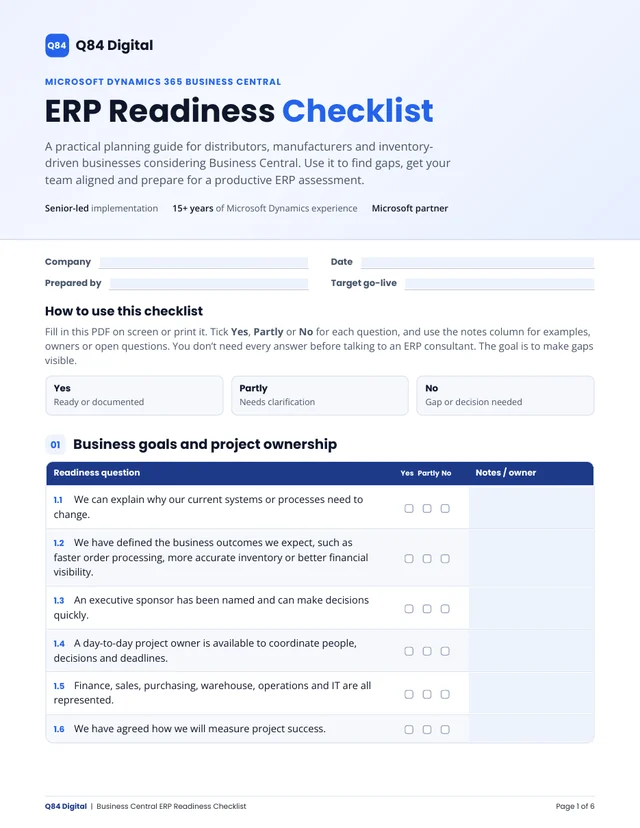
Is your business ready for a new ERP?
Our free ERP Readiness Checklist covers 52 questions across 9 areas, from inventory and warehouse to data and budget. Fill it in with your team, then bring it to your assessment.
Fillable PDF, 6 pages. No email required.
Talk about your production processes
Pick a time for your free 30-minute ERP assessment with the consultant who would deliver your project.